BESTSELLERIN STOCK · UNLIMITED
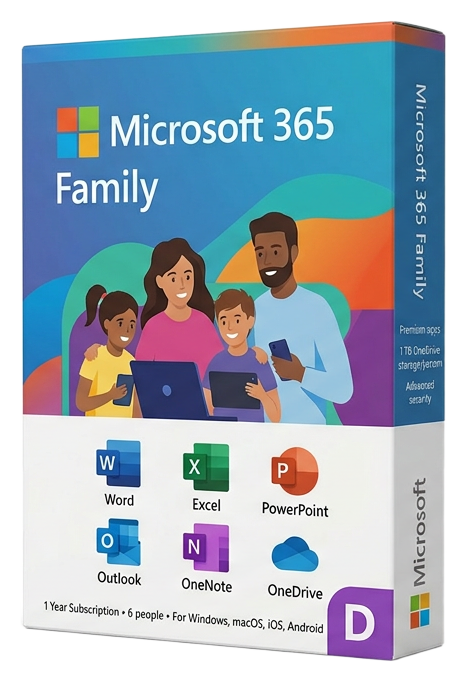
Microsoft 365 Family
Microsoft · 12-month subscription
Term
Annual
Devices
6 users · 5 devices each
Delivery
< 60 sec
Region
Worldwide
Overview
Microsoft 365 Family is the most cost-effective way to equip an entire household or small team with the complete Microsoft productivity and security ecosystem. A single subscription covers up to 6 people, with each person receiving their own independent Microsoft account with full Office applications, 1 TB of personal OneDrive storage (6 TB total), and advanced security features — making it dramatically cheaper than individual subscriptions. Every family member gets the full desktop, web, and mobile versions of Word, Excel, PowerPoint, Outlook, OneNote, and Access (PC only), with continuous updates that deliver new features monthly. Each person's apps, files, and settings are completely separate — a teenager's school projects never mix with a parent's work documents, and each person's 1 TB OneDrive is their own private cloud space. The Family Safety features make Microsoft 365 Family particularly valuable for households with children. Screen time management lets parents set limits on device usage and specific apps, with activity reports that provide visibility into how children spend their screen time. Content filtering blocks inappropriate websites and app downloads based on age-appropriate settings. Location sharing keeps family members connected with real-time location updates on a family map. Microsoft Defender extends protection across the entire family. Each person gets cross-device security monitoring on their Windows PC, Mac, iPhone, or Android phone. Identity theft monitoring scans the dark web for personal information associated with each family member's email address, and real-time alerts notify you immediately if a breach is detected. The built-in VPN secures internet connections on public Wi-Fi for everyone. The shared OneDrive family folder enables easy file sharing between family members without the complexity of external sharing links. Photo albums, vacation plans, household documents, and recipes can live in a shared space that everyone can access. Practically, Microsoft 365 Family at its retail price of under $10 per person per year delivers: always-updated Office apps, 1 TB cloud storage, advanced security and identity monitoring, family safety controls, 60 Skype minutes per month, and Microsoft Editor premium — making it the most comprehensive value proposition in personal productivity software. This 12-month subscription key activates instantly. The primary account holder can invite up to 5 additional people via email, and each person sets up their own independent Microsoft account.
Guías y artículos relacionados
Microsoft Office 2024 LTSC: The Last One-Time Purchase Office Suite?
Microsoft Office 2024 LTSC is the latest perpetual Office suite — but with Microsoft 365 dominating, is this the last standalone version?
Read moreThe Complete Guide to Choosing the Right Microsoft Office Edition
Office Home, Business, Professional, or 365? This guide helps you pick the right Microsoft Office edition for your needs and budget.
Read moreWhere to Buy the Cheapest Microsoft Office 2024 License (Legitimately)
Find the best deals on genuine Microsoft Office 2024 licenses. Compare editions, pricing, and where to buy safely at the lowest price.